
 Austria
 Belgium
 France
 Germany
 Italy
 Netherlands
 Poland
 Spain
 Sweden
 United Kingdom
 United States
All settings for your phone number, such as enabling or disabling a pre-announcement tone, a menu, or a queue, are managed from the online My CallFactory dashboard.
After logging in, go to Number Settings.
Here you will see an overview of all available features. Next to each feature, you will find an on/off switch that allows you to easily enable or disable features.
Some features, such as Statistics Email Reports or Search Engine Call Statistics, have additional settings. These are automatically displayed when you enable a feature.
All your changes are saved automatically.
To ensure the continuity of your accessibility, one of our experts will review the changes before they are applied to your number.
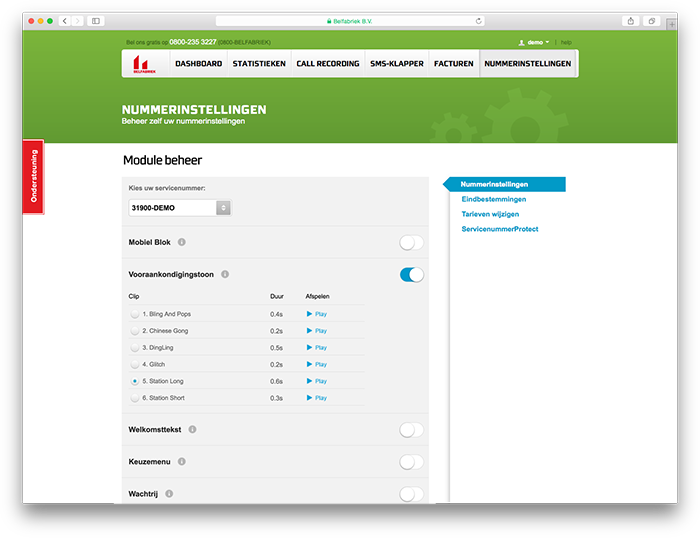
The My CallFactory feature overview
Call Recording Settings
Only the settings for Call Recording are managed from a separate page. After logging into My CallFactory, go to Call Recording, and then to Settings.
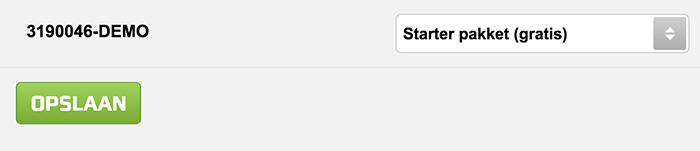
Set up Call Recording within My CallFactory
Also Read
Enable or Disable Features of Your Phone Number
Free eBook
Would you like to know more about the possibilities CallFactory offers? Then read our free eBook: Get More Out of Your Phone Number