

 Austria
 Belgium
 France
 Germany
 Italy
 Netherlands
 Poland
 Spain
 Sweden
 United Kingdom
 United States
When you open the Statistics page within My CallFactory, you will see an overview of the statistics for the past 30 days by default.
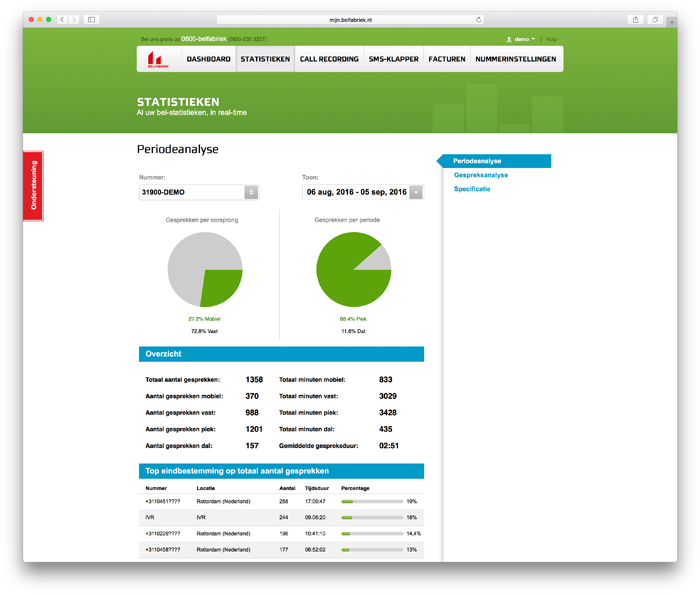
You can easily adjust this period by following these steps:
- At the top right of the page under the Show heading, you will see the period for which the statistics are currently displayed.
- When you click on these dates, a panel opens showing the current month and the previous month.
- To set a new period, click on the start and end dates of the desired period.
- Then click Apply. The statistics overview will be updated immediately.
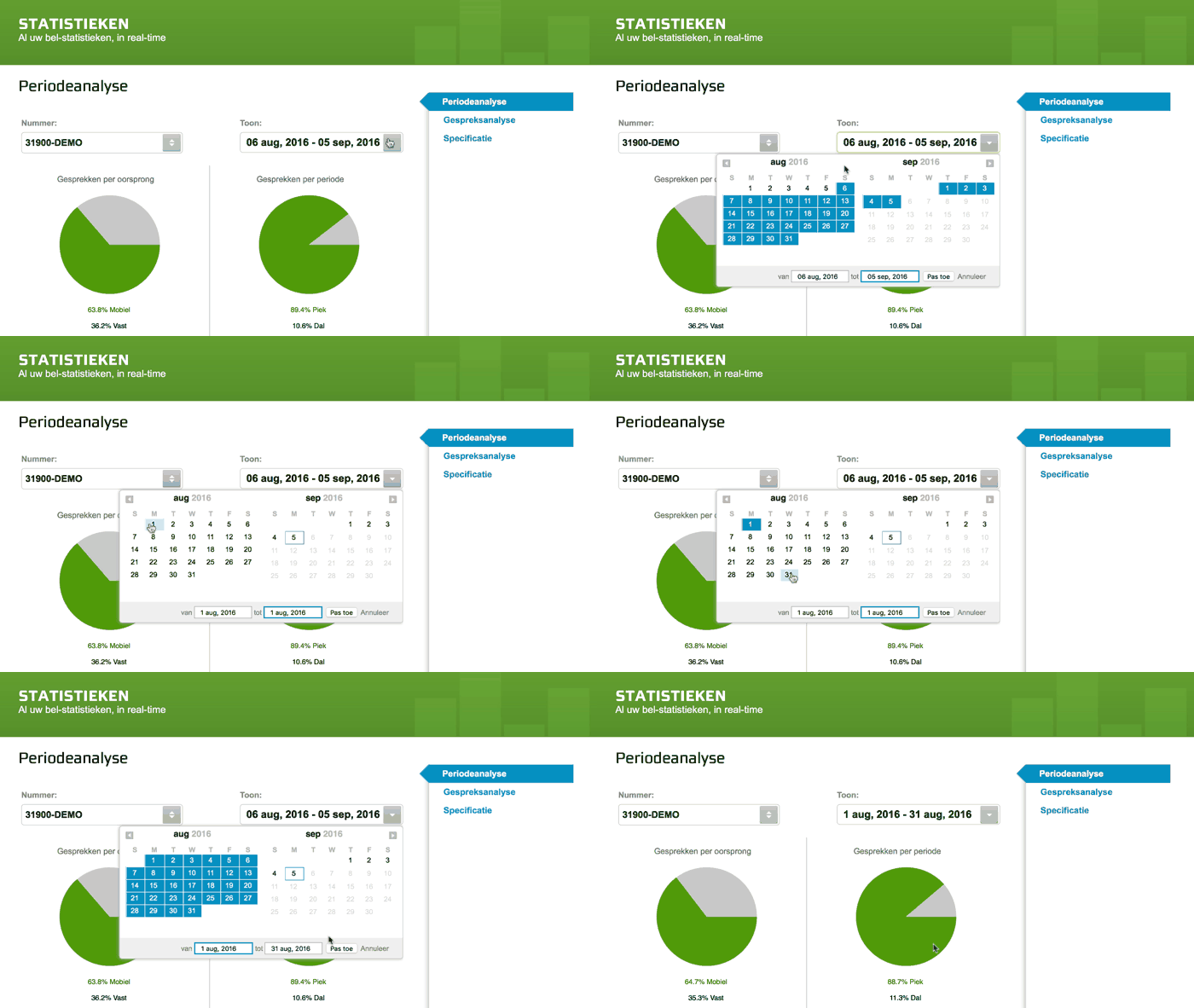
Tip: Do you want to see the statistics for one day? Then click on the same day for both the start and end dates.
You can set periods ranging from 1 day to an entire calendar year.
Please note that for longer periods, retrieving the statistics may take a little longer, especially if your phone number has a lot of call minutes.
Also Read
Change the Settings for My phone number
Set Up Email Reports for Statistics
View Call Statistics for Employees (Box Numbers)


