




 United States
Your complete business phone system
Choose the phone setup that fits your team - whether at the desk, on mobile, or online. Mix and match features to stay connected, always.
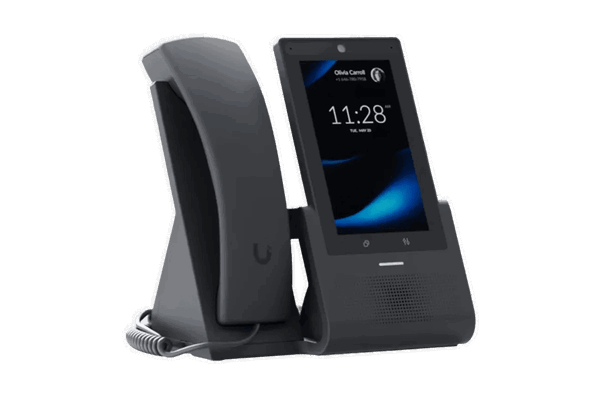
Desk phone
Use your landline phone as part of a modern phone system. Reliable, simple, and ready for business.
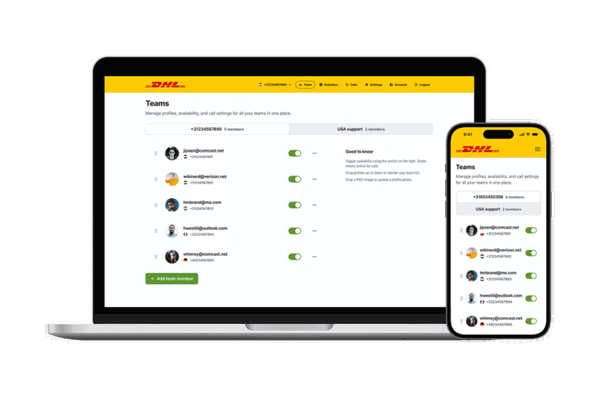
Softphone
Make and receive business calls on your laptop or desktop. All you need is an internet connection.
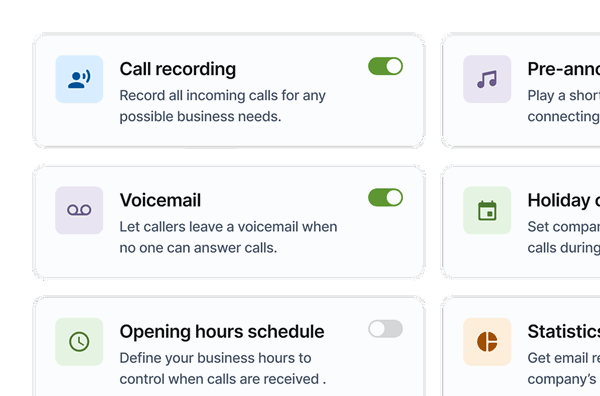
Web interface
Manage your phone system online. Set destinations, view calls, change settings - anytime, from anywhere.
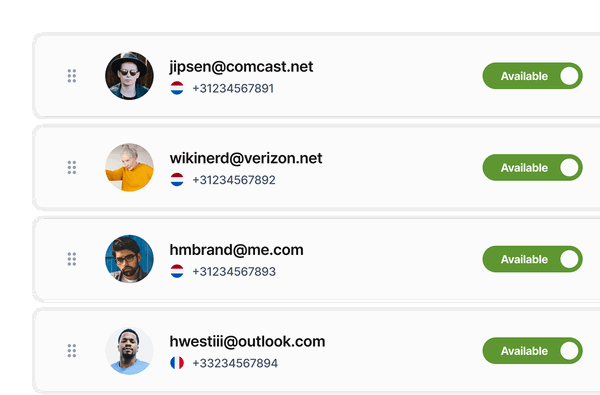
Team dashboard
A shared online dashboard for teams. See who's available, transfer calls, and work as one front line.
Fixed on mobile
Use your landline number on your mobile. Ideal if you're often away from your desk.
Phone systems FAQ
Get clear answers about phone systems and how they can support your business - from setup to daily use.
A business phone system is a complete solution for handling incoming and outgoing calls for your company across multiple devices, teams, and locations. Instead of relying on a single phone line, a modern business phone system lets you route calls intelligently, manage availability, record conversations, and access call data in real time. With CallFactory, all phone system components—desk phones, mobile use, softphones, and web management—are combined into one flexible platform.
A cloud-based phone system works over the internet instead of traditional phone lines. Calls are routed through secure servers and can be answered on desk phones, computers, or mobile devices. Because everything is managed online, there’s no need for complex hardware or on-site maintenance. Settings such as call forwarding, IVR menus, voicemail, and opening hours can be changed instantly through a web interface.
The best setup depends on how and where your team works. Desk phones are ideal for office-based teams that prefer physical devices. Softphones work well for remote or hybrid teams who want to make calls from laptops or desktops. Fixed-on-mobile setups are perfect if you want to use a business number on a mobile phone without changing SIM cards. Many businesses combine multiple setups to stay flexible as they grow.
Yes. CallFactory’s phone system is designed to be modular, meaning you can mix and match different phone types within one account. For example, office staff can use desk phones, remote employees can use softphones, and managers can receive calls on their mobile devices - all under the same business number and call routing logic.
Managing your phone system is done through a central web interface. From there, you can add users, assign numbers, configure call flows, set opening hours, and monitor call activity. Changes take effect immediately, so you can adapt your setup as your business needs change - without technical expertise or external installers.
Yes. You can create teams, assign availability, and define how calls should be distributed - such as ringing multiple users, routing to the least busy agent, or forwarding after business hours. This helps ensure calls are always answered by the right person and improves customer experience without increasing workload.
In most cases, yes. You can port your existing business number to CallFactory and continue using it within the new phone system. This allows you to upgrade your setup without changing contact details or disrupting customers.
Absolutely. The system is scalable and works just as well for solo entrepreneurs as for growing teams and larger organisations. You can start with a simple setup and expand with additional users, numbers, and features as your business grows - without switching platforms.